SQL Conversion
Oracle · SQL Server · DB2 PostgreSQL · DB2 · MySQL
Migrate stored procedures and queries across database dialects, then verify the converted SQL returns the same row counts against a live connection.
Code Alchemist converts legacy code, database SQL and report definitions between technologies using AI agent pipelines that verify their own work and heal themselves when a step falls short.
COBOL, RPG, VB6 and hand-tuned SQL live in the heads of a shrinking pool of experts.
Hand-porting dialects and report formats is tedious, and subtle behavior changes slip through.
“Did the conversion actually preserve behavior?” is the question that stalls every project.
Purpose-built system pipelines for the migrations enterprises actually face, each one a chain of specialized AI agents tuned for the source and target technology.
Migrate stored procedures and queries across database dialects, then verify the converted SQL returns the same row counts against a live connection.
Re-target the SQL embedded in BIRT report designs to a new database dialect while preserving report structure.
Convert Java automation scripts into IBM Maximo automation (Jython) scripts, ready to drop into the platform.
Bidirectional report-format modernization with element-parity checking so nothing is dropped in translation.
Translate legacy COBOL business logic into maintainable Java, with analysis and complexity estimation up front.
Re-platform an entire legacy stack to a modern one, moving RPG or VB6 to Java or C#/.NET, with a configurable source-to-target pipeline covering backend, frontend and report engine.
Convert vendor-specific SIEM detection content into vendor-neutral Sigma detection rules.
Upload a source file and it flows through a graph of AI agents. Each stage does one job well, and the final stage checks the result against the original.
An agent reads the source file and documents its structure, dependencies and intent.
A complexity-analysis agent scores the effort and risk, informing model selection.
The conversion agent produces the translated code, SQL or report, keeping it dialect-aware and structure-preserving.
The Universal Verification Module inventories source vs. output elements, runs behavioral checks and scores fidelity.
Most tools convert and hope. Code Alchemist holds every agent to a measurable quality contract, and when one falls short it fixes that step precisely, then verifies again.
Every agent is graded against declarative acceptance criteria: valid syntax, element parity, and behavioral checks like matching row counts against a real database.
When a node underperforms, the engine re-runs just that node with feedback (retry, escalate to a stronger model, chunk the input, or route to a human) instead of blindly re-running the whole job.
Each run emits a scorecard with a GREEN / AMBER / RED confidence verdict and a coverage percentage, so you know exactly how much to trust each output.
Proven fixes are recorded by problem signature and re-applied first when the same failure recurs, so the platform gets more reliable the more you run it.
An isolated Postgres database per tenant, with org-scoped LLM keys and role-based access (Admin / Analyst / Operator / Viewer).
Connect source and target databases across PostgreSQL, MySQL, SQL Server, Oracle, MariaDB and IBM DB2, with named connection profiles (Dev / UAT / Prod).
Assign the model each agent uses, or let complexity tiers auto-pick a model by program complexity to balance cost and quality.
Per-call token and cost tracking with dashboards, plus a budget circuit-breaker so runs never blow past a spend threshold.
Configurable review checkpoints and a mandatory final approval keep a human in control of what ships.
Encrypted credential storage, credentials never entering agent state, and SQL-injection / XSS screening on inputs.
From your first project to your first verified output, and the workspace is organized around the way modernization teams work.
 Screenshot coming soon
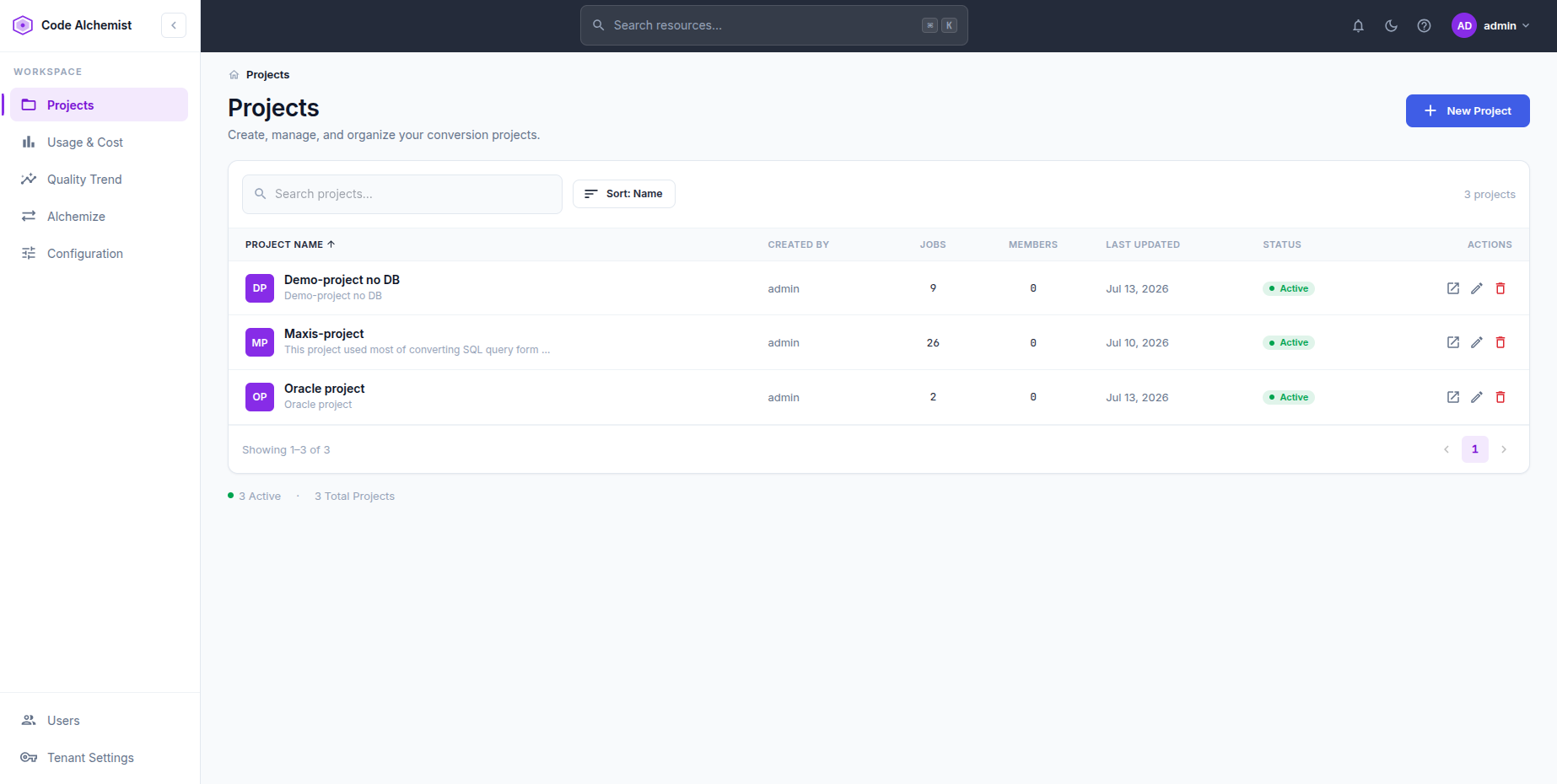
 A searchable list of every conversion project, showing jobs, members, status and last activity, with one click to open one or start a new one.
 Screenshot coming soon
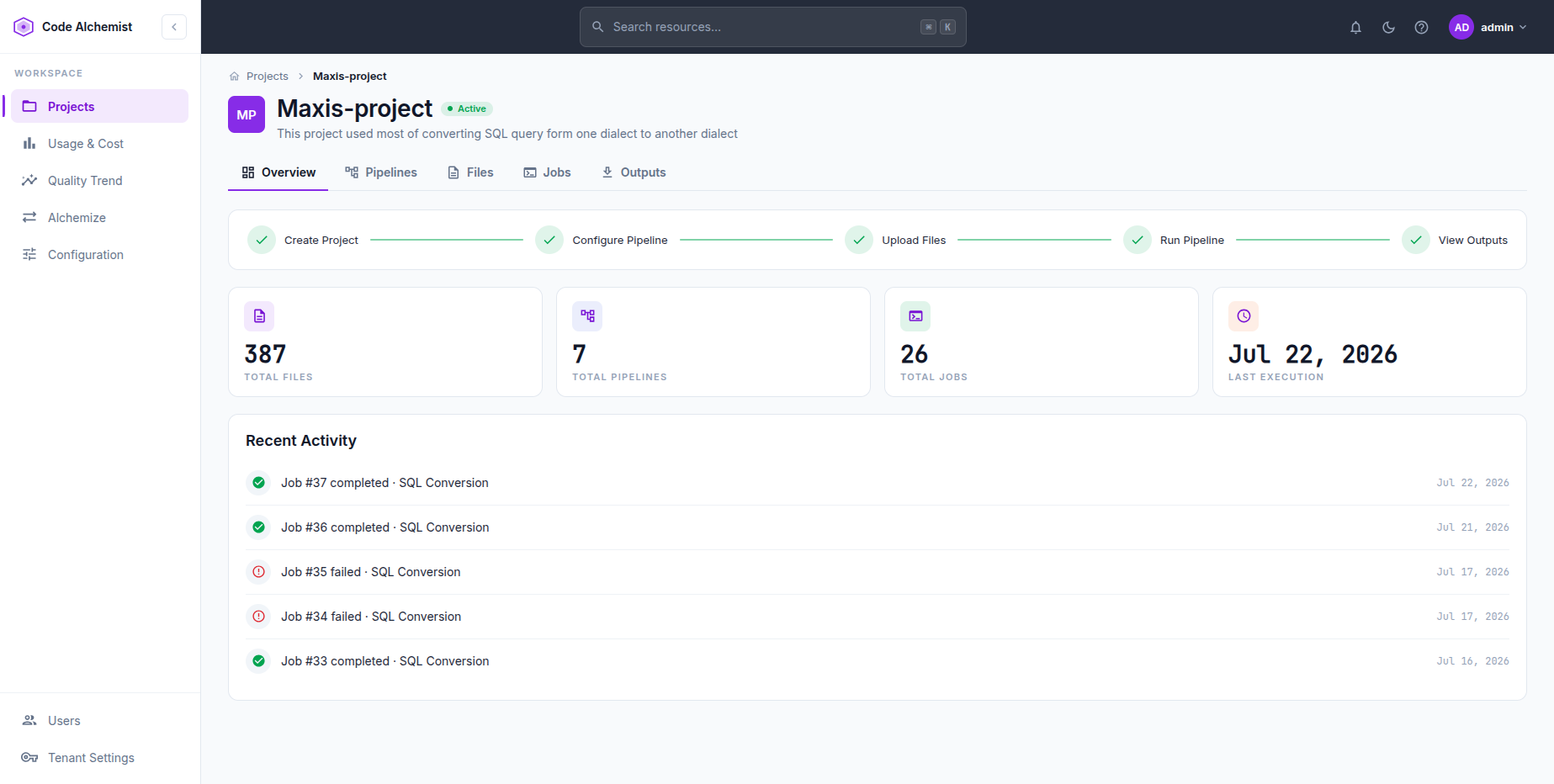
 Each project bundles Files, Pipelines, Jobs and Outputs behind a simple Create → Configure → Upload → Run → View workflow.
 Screenshot coming soon
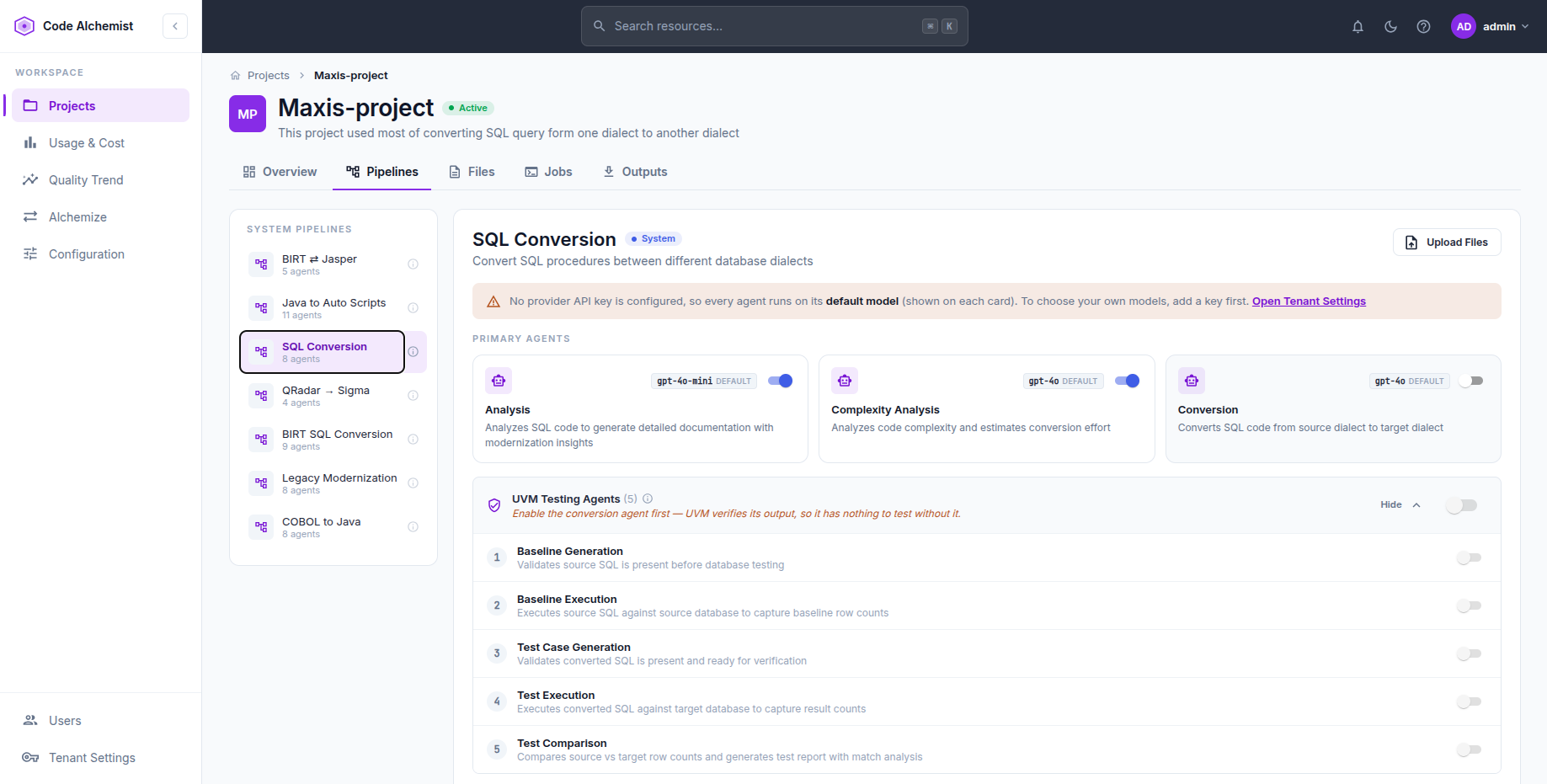
 Pick a pipeline and see its agents (Analysis, Complexity, Conversion), plus optional UVM testing agents that execute and verify the output.
 Screenshot coming soon
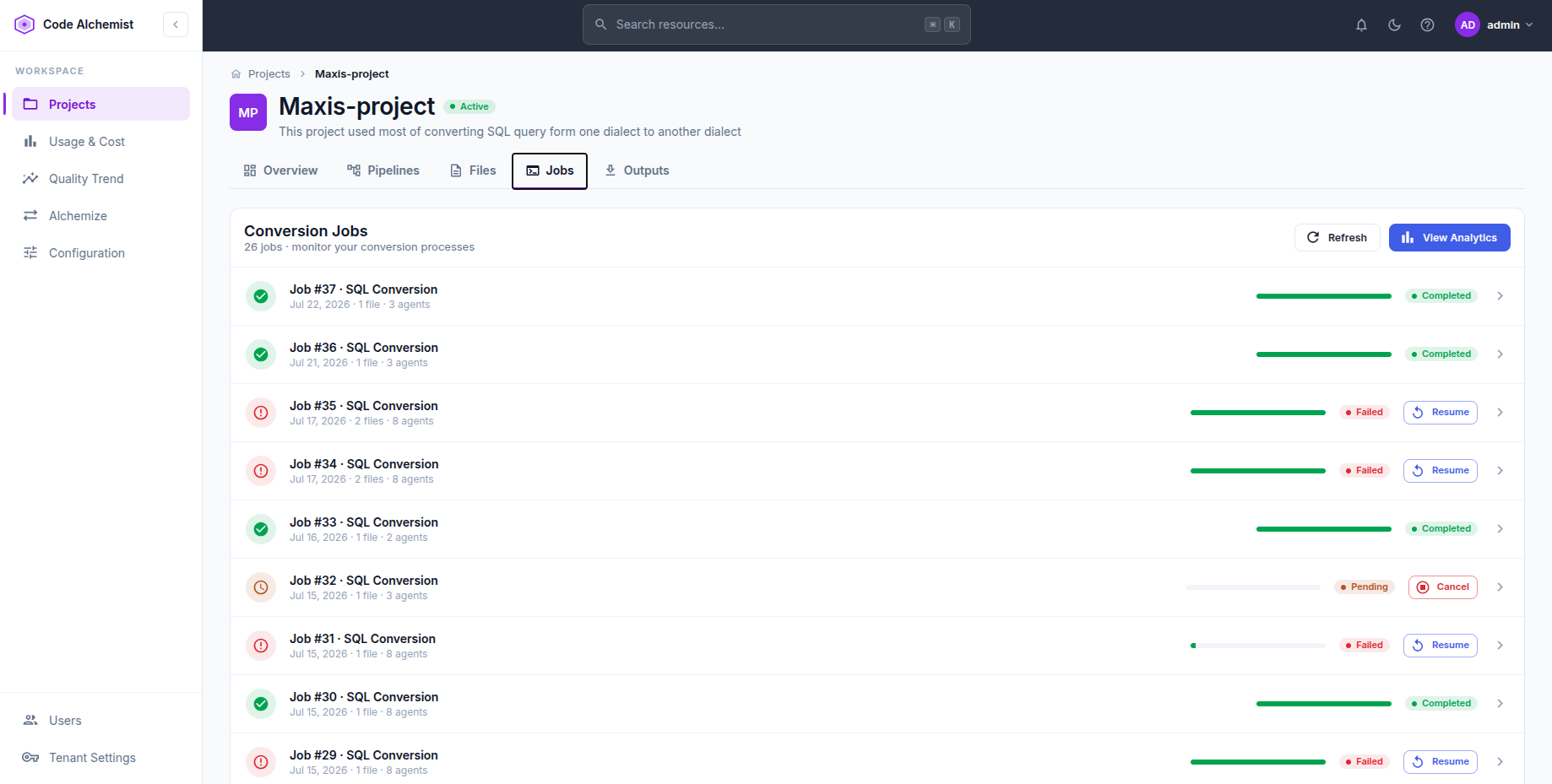
 Live job status with progress bars and per-job actions: resume a failed run from where it stopped, or cancel one in flight.
 Screenshot coming soon
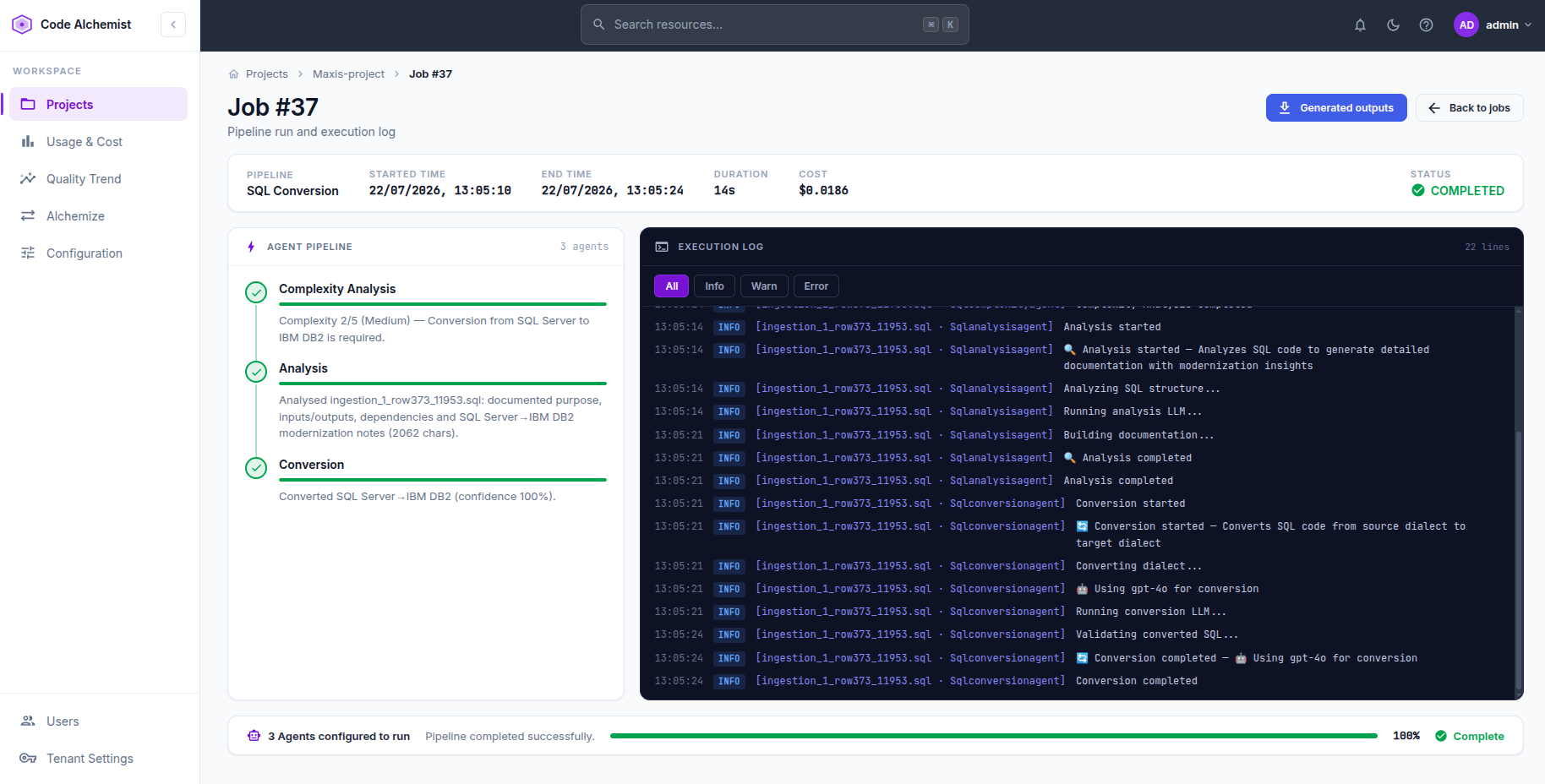
 Follow each agent as it works, stream the logs, watch token cost accrue, and download the converted output the moment it lands.
 Screenshot coming soon
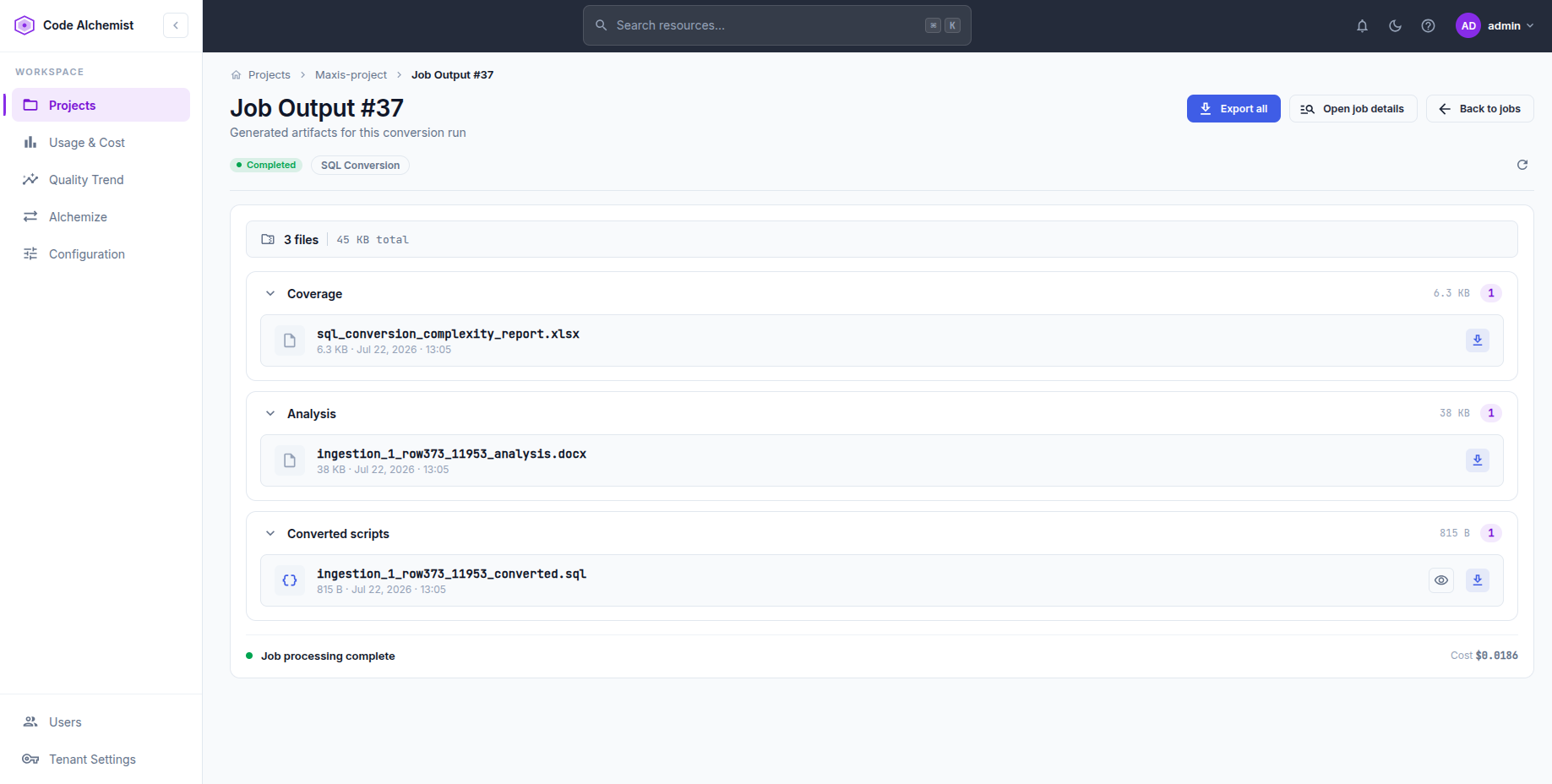
 Download converted code, reports and generated documentation per job, grouped by type (coverage, analysis, converted scripts), or export them all at once.
 Screenshot coming soon
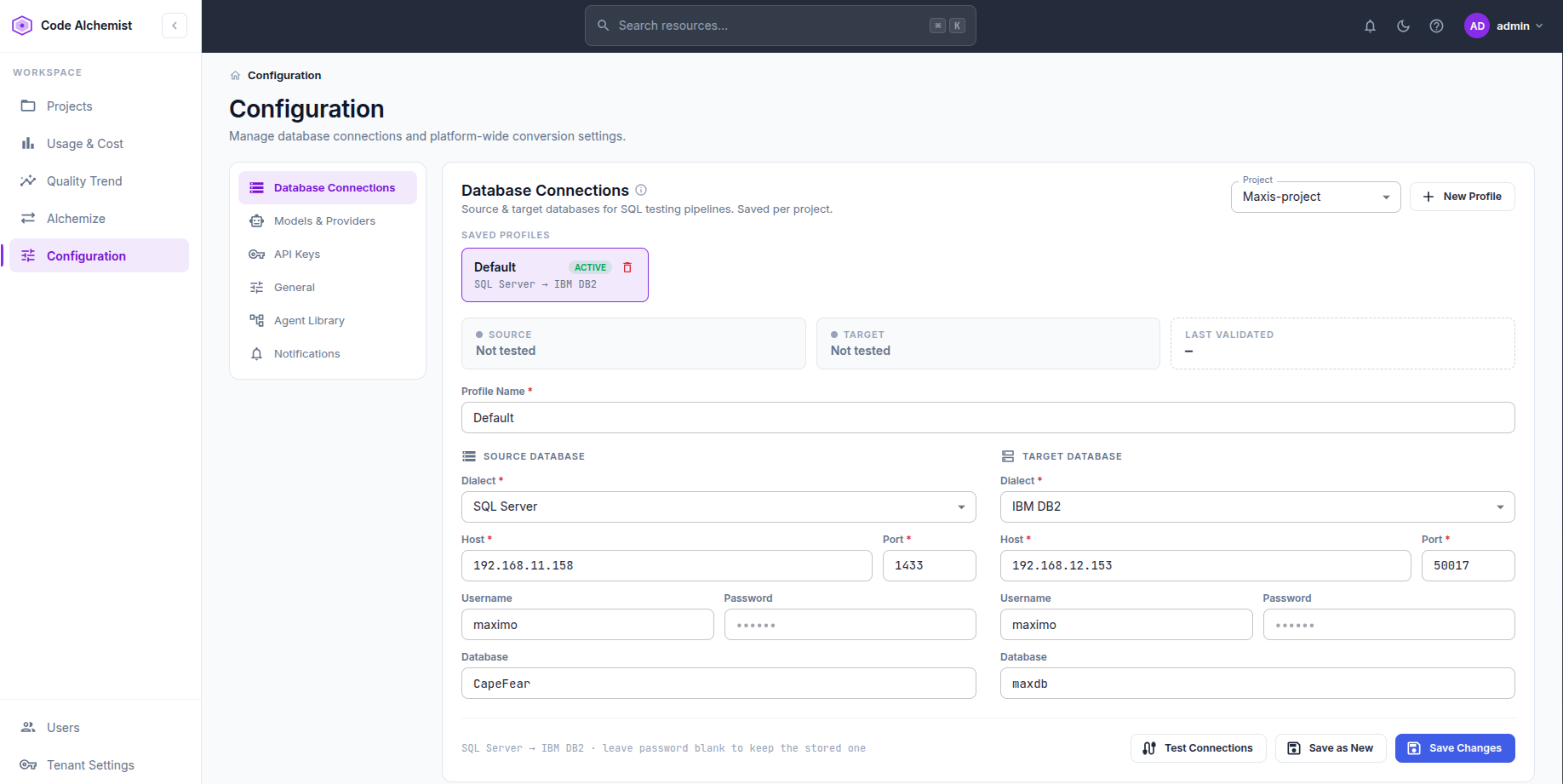
 Configure source and target databases per project across Oracle, SQL Server, DB2, PostgreSQL and more. Test credentials live and save Dev / UAT / Prod profiles.
 Screenshot coming soon
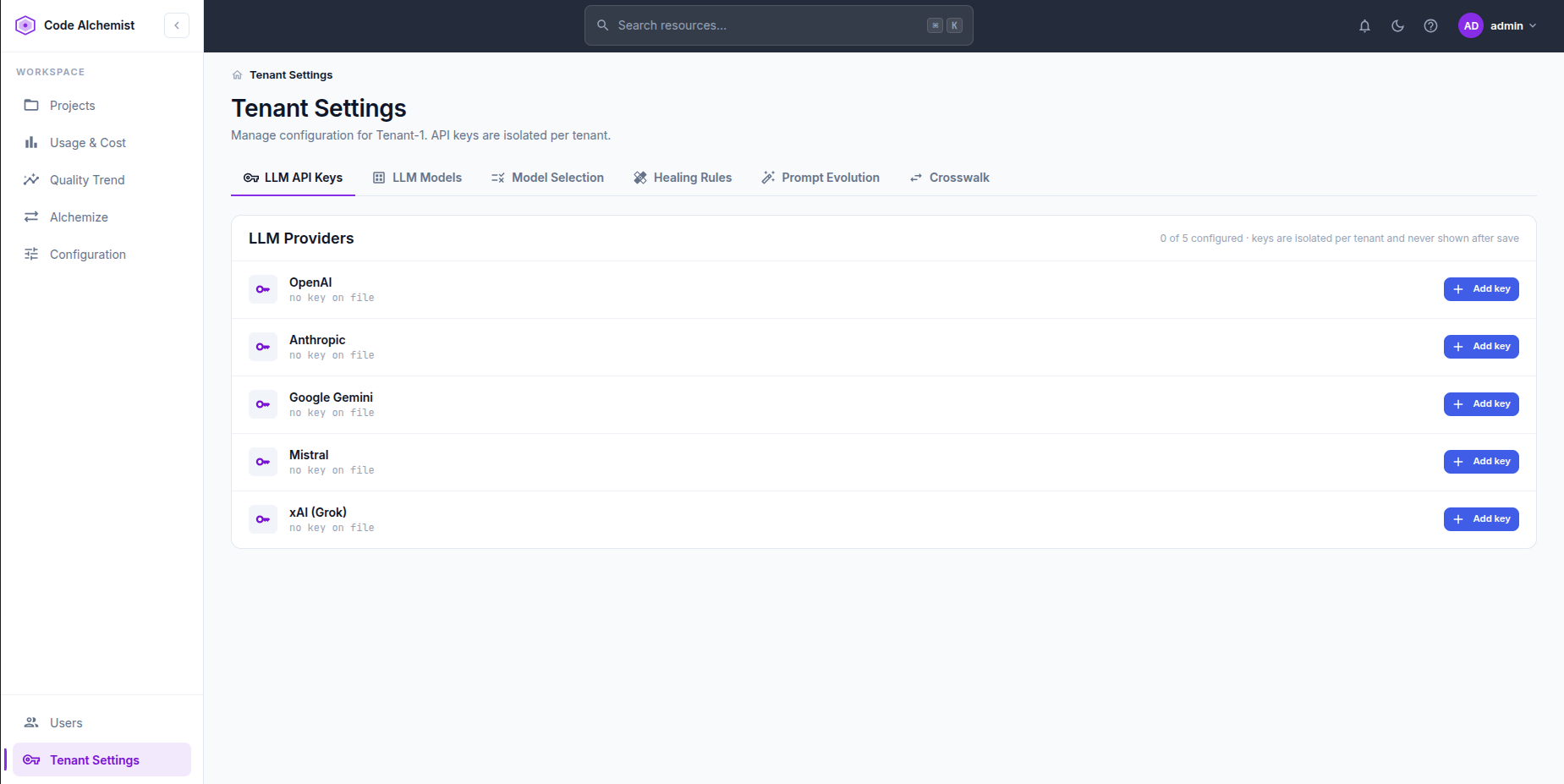
 Add per-provider API keys (OpenAI, Anthropic, Gemini…), isolated per tenant and never shown again after saving.
 Screenshot coming soon
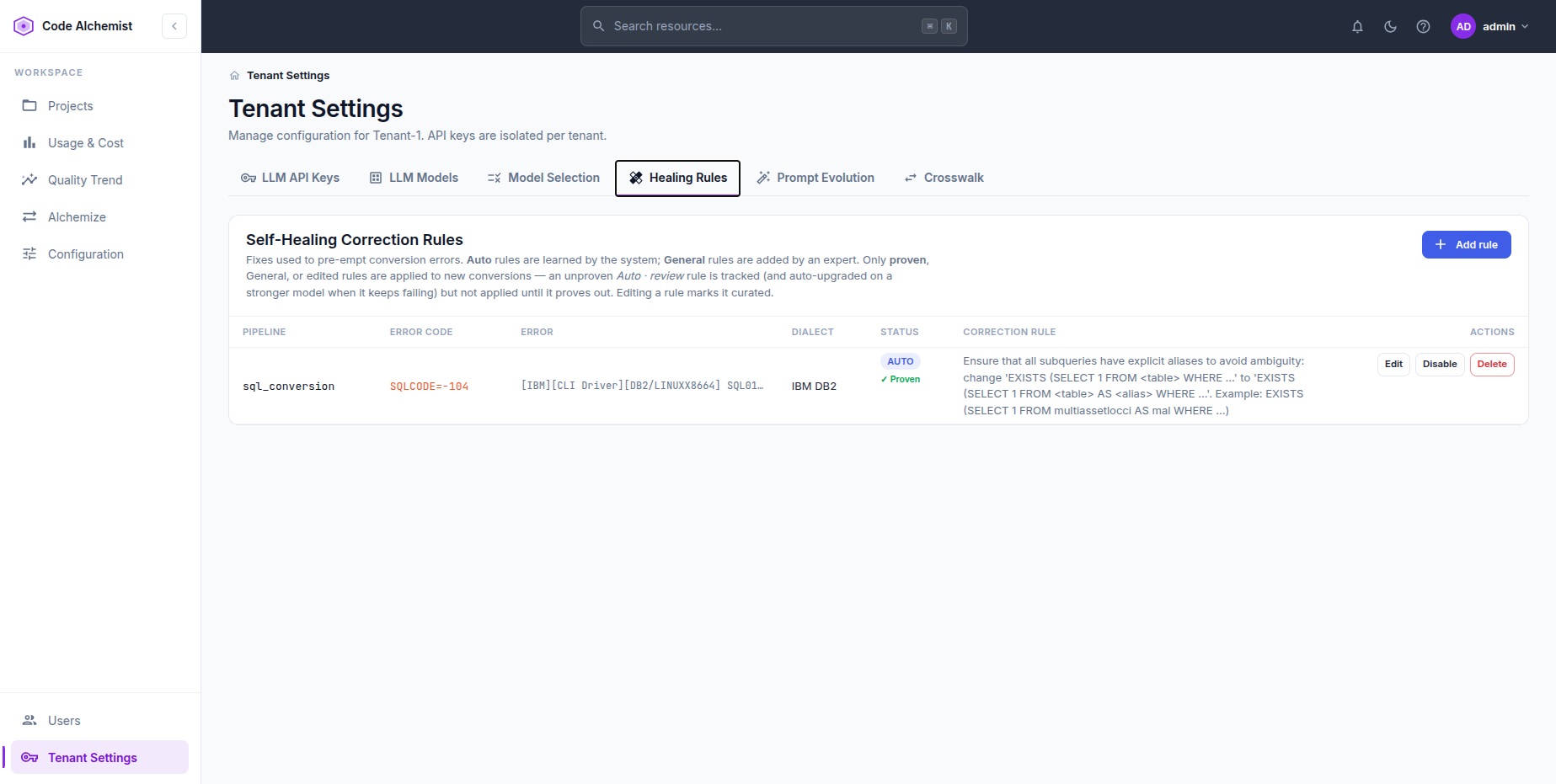
 Auto-learned and expert-authored fixes, keyed by dialect and error code. Only proven rules are applied to new conversions.
 Screenshot coming soon
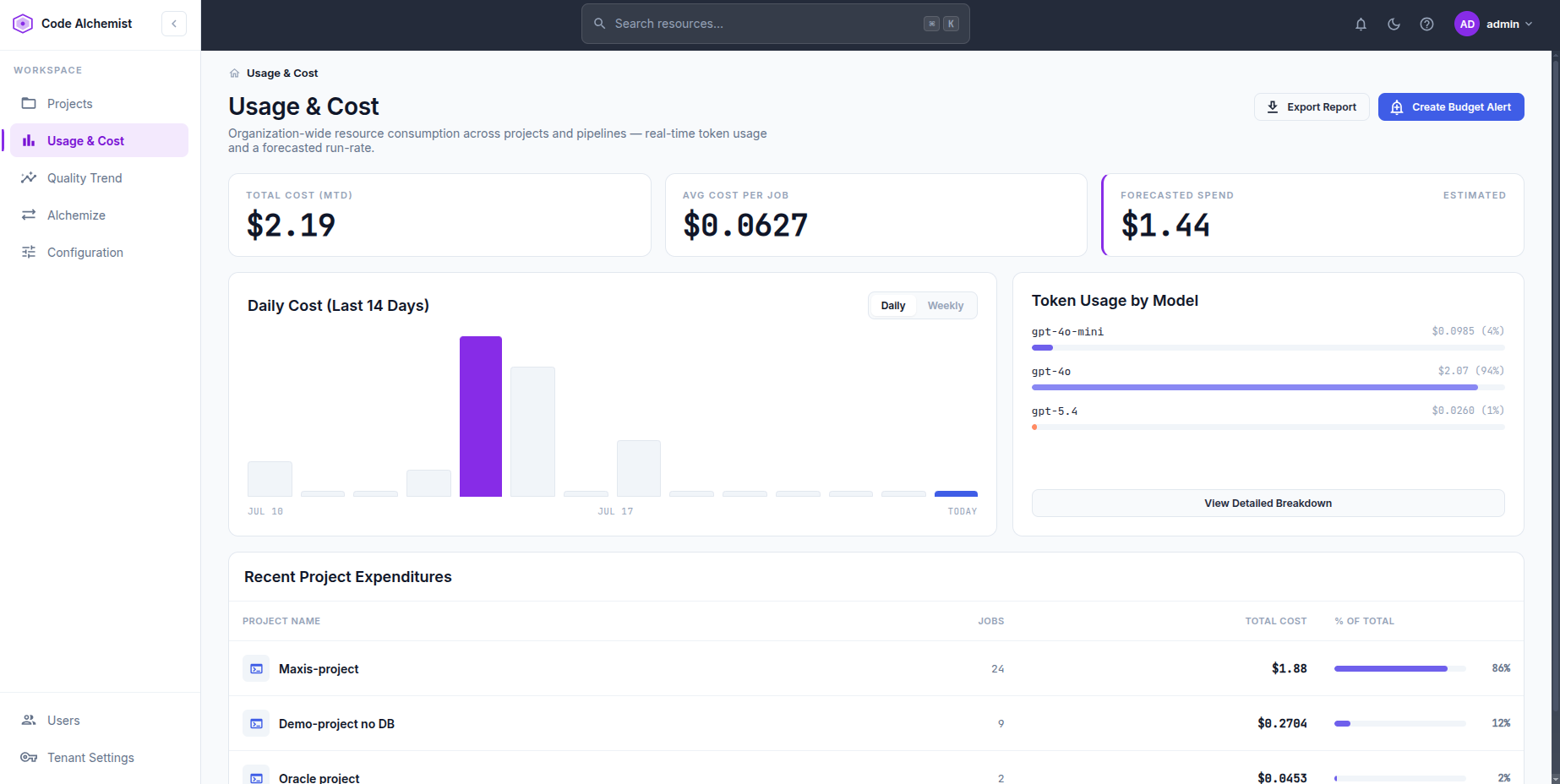
 Organization-wide token usage and cost by model and project, a forecasted run-rate, and budget alerts so runs never blow past a threshold.
Screens shown are representative. Book a demo to see the live product with your own files.
Simple, credit-based pricing. Each plan includes a pool of conversion credits — run conversions until you use them up, then top up. No free tier, no metering surprises.
Loading plans…
Start in minutes — no sales call required. Prefer to talk first? Request a demo and our team will get you set up.
Code Alchemist onboards organizations by invitation. Tell us about your modernization workload and our team will set up a tailored walkthrough, and provision a tenant when you’re ready.
Request a demo below for a live, guided walkthrough.
Tell us about your modernization workload and the technologies involved.
A superadmin sets up your isolated organization and invites your team.
Add your databases, upload source files, and run your first self-healing pipeline.